
Has Google G Suite (Filestream) changed to something different?
Yes, it now Google Workspace. This means that if you were using Google G Suite for cloud-based storage the File Stream icon on your computer will have vanished. You now need to update or install the new Google Drive to gain access to your cloud-based Google storage, files and folders via your computer’s desktop. More information on how to do this can be access via this webpage.
PAGE CONTENT
HAS YOUR GOOGLE G SUITE FILESTREAM ICON VANISHED?
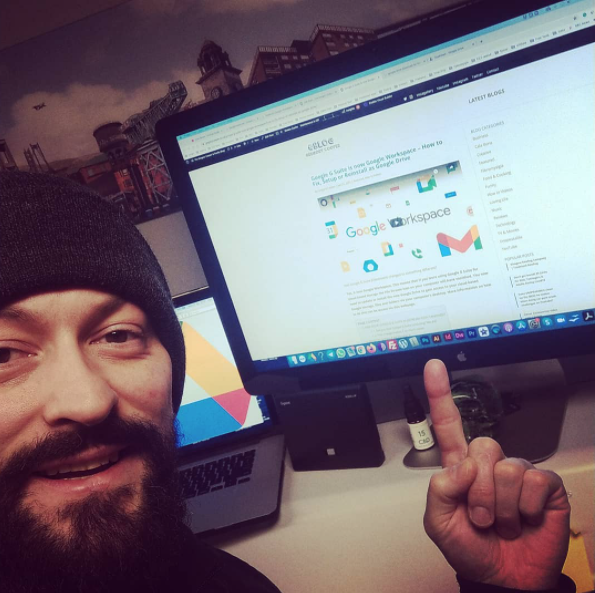
Hi Folks! If you have woken up to find that your Google File Stream icon has vanished from your Windows or Mac computer, I can confirm that it’s happened to me and I have a fix.
Google G Suite is now Google Workspace and you’ll require the new Google Drive to be installed to your computer. (how to do that links down this page)
Did you find Google G Suite confusing? We did!
Personally, I think this is a long-overdue move by Google. Over the past 5 years, it got a little bit confusing for my team members. Most of which were standard Google users with only a Gmail. These personal users found it hard to get setup and get access to my then Google G Suite business account to share folders.
They kept getting asked “do I need a Google personal account or Google business account to get access to G Suite file stream or Google Drive” (so confusing) – I know!
This change makes it so much easier
So now all you need is a Google account be it personal Gmail or a business account. Either or will give you access to shared folders and all of the other Google features.
WHAT IS GOOGLE WORKSPACE
Google Workspace (formerly Google G Suite) is a collection of online tools that can be used to help you work faster, more clever and it’s great for anyone working within a team. I use it for my business and for the past five years I have nothing but praise for this product. I now no longer use software like Microsoft Office – Word Docs, Excel Spreadsheets (for Mac) and programs like Skype, Dropbox are a longtime gone.
Google Workspace has everything and more, I do all of my writing in Google Docs, all spreadsheets in Google Sheets, all of my storage happens within Google Drive (formerly G Suite Filestream for business) and my online videos calls are now being used by Google Meet (formerly Google Hangouts Meet) even though I still use Zoom due to other clients preferring this option. However, I’ll be trying my best to get everyone educated to why Google Meet really is an easy video calling option and we all have it but probably don’t realise it is there.
I’d suggest you go to Google and learn about Workspace. See what all the features are and I believe you will be astonished to what has been sitting in your Google account all this time.
Encase you didn’t know – all you need is a Gmail to gain access to all of these Google features however some people and businesses may opt to upgrade onto the full access Google Workspace option to make use of the extra features it offers as a product.
Learn more about Google Workspace on their dedicated page at: https://workspace.google.com/
LINKS to DOWNLOAD the new (Google Drive)

Image source: https://images.app.goo.gl/5tWm2NGZmQdaMbcW8
I’ve made it easy by putting all how to fix, setup or reinstall links below. Simply get the file downloaded and follow the instructions on your computers screen.
All of these files are direct downloads from Google. My advice is to never download a Google file unless it’s stored on the Google server (highlighted below in green).
WINDOWS users (download via direct link)
Windows EXE file – https://dl.google.com/drive-file-stream/GoogleDriveFSSetup.exe
APPLE MAC users (Download via direct link)
Mac DMG file – https://dl.google.com/drive-file-stream/GoogleDriveFileStream.dmg
OTHER operating systems
More information related to other operating systems can be found at Google Workspace.
- Individuals, Teams or Enterprise – https://www.google.com/intl/en_ca/drive/download/
HAVE YOU WATCHED MY VIDEO YET?
In this video you will get access to the following tips and advice:
- – General explanation to what has happened to G Suite (Filestream)
- – The difference between the old icon and the new icon
- – A quick explanation about how we use Google Workspace (and all it tools)
- – What the new icon (looks like) after installation to your computer
- – How to download Google Workspace for Windows or Mac (links)
Related posts:
 Unboxing the Lotus Fellowes Sit Stand Workstation
 How to Get Cheap Train Tickets Glasgow, Edinburgh & UK – 5 Steps to Save Hundreds on UK Train & Coach Fares
 Find CHEAP HOTEL Deals: New Trick to Save Big on Hotels in 2024
 The Ultimate Guide to Autoglym Car Valeting Glasgow: Mastering Super Resin Polish